Table of Contents
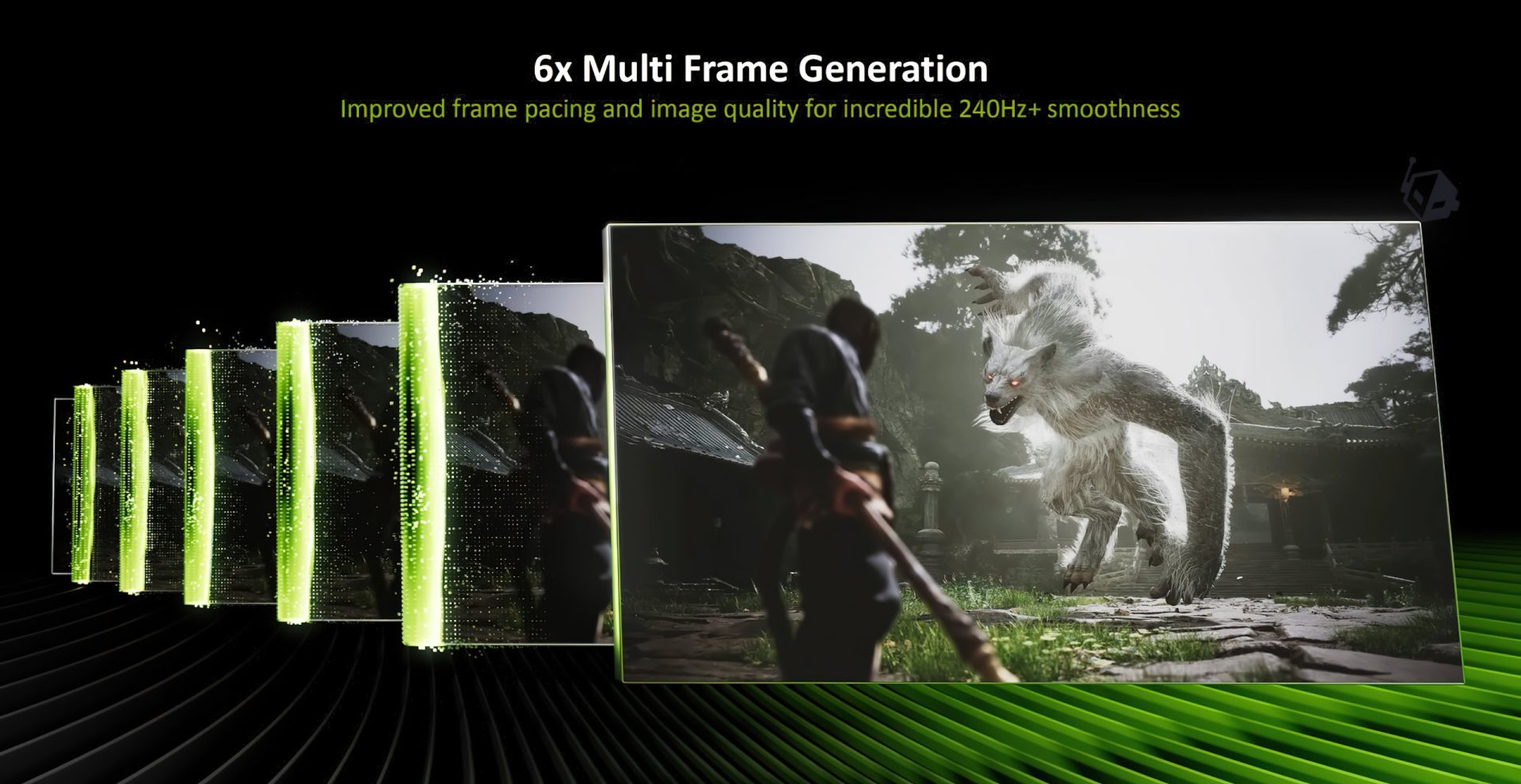
NVIDIA has finally introduced its brand new MFG “Multi-Frame-Gen” 6X mode, which is part of its DLSS 4.5 technology.
We Try Out NVIDIA’s DLSS 4.5 MFG 6X Mode In Several Games: Better UI, Smoother Framerate, & Dynamic Mode Are The Updates Frame-Gen Users Have Been Waiting For!
Back in January this year, NVIDIA introduced DLSS 4.5, which brought an updated transformer model for enhanced super resolution quality. This model was seen as a great uplift, which expanded upon the DLSS 4.0 feature set. A second technology, which is part of the DLSS 4 suite, was also announced back then. It’s called Dynamic MFG “Multi-Frame-Gen”, and delivers up to 6x frame-gen modes. Today, NVIDIA is finally bringing the tech to gamers.
DLSS 4.5 MFG 6x Mode Gives You 6x The FPS Boost, Dynamic Frame-Gen Enables Super-Smooth 240Hz+ Gaming
DLSS 4 also introduced a major update to frame generation called Multi-Frame Generation or MFG. This enabled NVIDIA to dial up the number of frames generated by up to 4x, delivering unparalleled levels of motion and gameplay smoothness.

And it looks like NVIDIA is going to continue to upgrade MFG with DLSS 4.5. The new DLSS 4.5 MFG enables up to 6x mode, offering even better smoothness, which is perfect for high refresh rate gaming. MFG 6x also offers better frame pacing and image quality on its own, which further helps improve the multi-frame generation gaming experience.
This Frame Generation model update also enhances in-game user interfaces by incorporating additional game engine data, improving visual quality and clarity of static user interface elements. This can be seen in a range of titles that natively support MFG. For games that don’t have native support, you can leverage MFG by overriding with a DLSS swapper tool, which we have a full guide on over here.

With DLSS 4.5 MFG mode at 6x, users can get up to a 33% boost at 4K in titles such as Black Myth: Wukong (all maxed out and path traced). There’s also a slight uptick in latency of around 10-15%, but overall, users should enjoy a smoother, high-refresh-rate, and detailed gaming experience.

NVIDIA went a step ahead with what it could do with MFG and is also introducing a new mode called DLSS 4.5 Dynamic Multi-Frame Generation. With this mode, users can maximize and match the FPS of their monitor’s refresh rate. This is designed specifically for higher refresh rate monitors, and you can set the target FPS manually, after which Dynamic Multi-Frame Generation will dynamically switch the MFG modes from 1x to 6x to maintain the designed FPS.
While the 6x mode is designed for 240Hz+ gaming, the Dynamic mode can target virtually any refresh rate, 120Hz, 144Hz, 240Hz, and above, and set the frame-gen mode that is consistently required to target the monitor’s refresh rate.
So think of it this way, you have a 120Hz monitor, and your GPU is more than capable of matching it at a lower frame-gen mode. So you don’t have to stick with a fixed multiplier such as 2x, 3x, 4x, 5x, or 6x. The new frame-gen model will automatically shift the multiplier up or down when needed, saving power and GPU resources.

In a comparison chart, most AAA games will require 4x and 3x MFG to maintain a 240Hz refresh rate. The 6x mode is meant for those who are rocking 360Hz or above 4K monitors.

How To Enable DLSS 4.5 MFG 6X Mode
To enable DLSS 4.5 MFG 6X mode, you require two things: the latest NVIDIA GeForce Game Ready driver 595.79 WHQL or Higher) and the latest NVIDIA App version.
Then, you need to ensure that your monitor is set to your preferred refresh rate. If you want to use the max refresh rate of your monitor, the “Target FPS” should be set to Max refresh rate. Or if you want to use a different target, then you can set that in the NVIDIA App. The following is the guide for the NVIDIA App:
- Open NVIDIA App, select Graphics from the left sidebar, and find the title you would like to test.
- Scroll down in driver settings to find DLSS Override – Frame Generation Mode.
a. Select Dynamic at the top of the window.
b. Configure your Target FPS to Max refresh Rate and Multiplier to “Up to 6x,” then hit Apply.
Using the latest version of NVIDIA’s Frameview overlay will also ensure that you can see which MFG multiplier the application is currently using.
When utilizing the fixed mode, a fixed frame-gen target will be visible on the overlay. In contrast, when using the dynamic MFG mode, the frame-gen mode will shift up and down depending on the application’s intensity.
NVIDIA App offers two frame-gen models, namely Preset A and Preset B. Preset A serves as the standard model, while Preset B is tailored for games that expose a UI depth buffer, enhancing the visual quality of the UI. The following games have shown visual improvements with Preset B:
– Elder Scrolls 4: Oblivion Remastered
– Dragon Age: The Veilguard
– Outer Worlds 2
– DOOM: The Dark Ages
– Borderlands 4
– Indiana Jones
– God of War Ragnarök
– Marvel Spider-Man 2
– Starfield
– Marvel’s Spider-Man Remastered
– Horizon Forbidden West
– Marvel’s Spider-Man: Miles Morales
– Horizon Zero Dawn Remastered
– Ratchet & Clank
– F1 25
– Monster Hunter Wilds
– F1 24
– Star Wars Outlaws
– Forza Horizon 5
– Battlefield 6 Campaign
DLSS 4.5 MFG & Dynamic MFG Mode Impressions:
After testing DLSS 4.5 MFG in both fixed and dynamic modes across various games, we have included recordings of some games below.
Our experience suggests that DLSS’s Dynamic implementation aligns well with the MFG era. As NVIDIA expands its frame generation capabilities, such as 6x on DLSS 4.5 and beyond, this technology, in combination with dynamic modes, will enhance gaming efficiency significantly.
The higher 5x and 6x modes enable high refresh rate gaming in titles previously limited in that aspect. This advancement is crucial for games employing advanced Path Tracing, which can strain GPU performance. With these modes, achieving 144Hz+ at your GPU’s recommended resolution is now feasible. Furthermore, the UI and visual enhancements to the frame-gen model, leveraging NVIDIA’s latest Transformer Engine and Tensor Cores, provide the desired crispness to frame-gen.
Follow Wccftech on Google for more news coverage in your feeds. Can you please rewrite the following sentence?