Table of Contents
The Perfect Balance: Optimizing Graphics Settings for Directive 8020
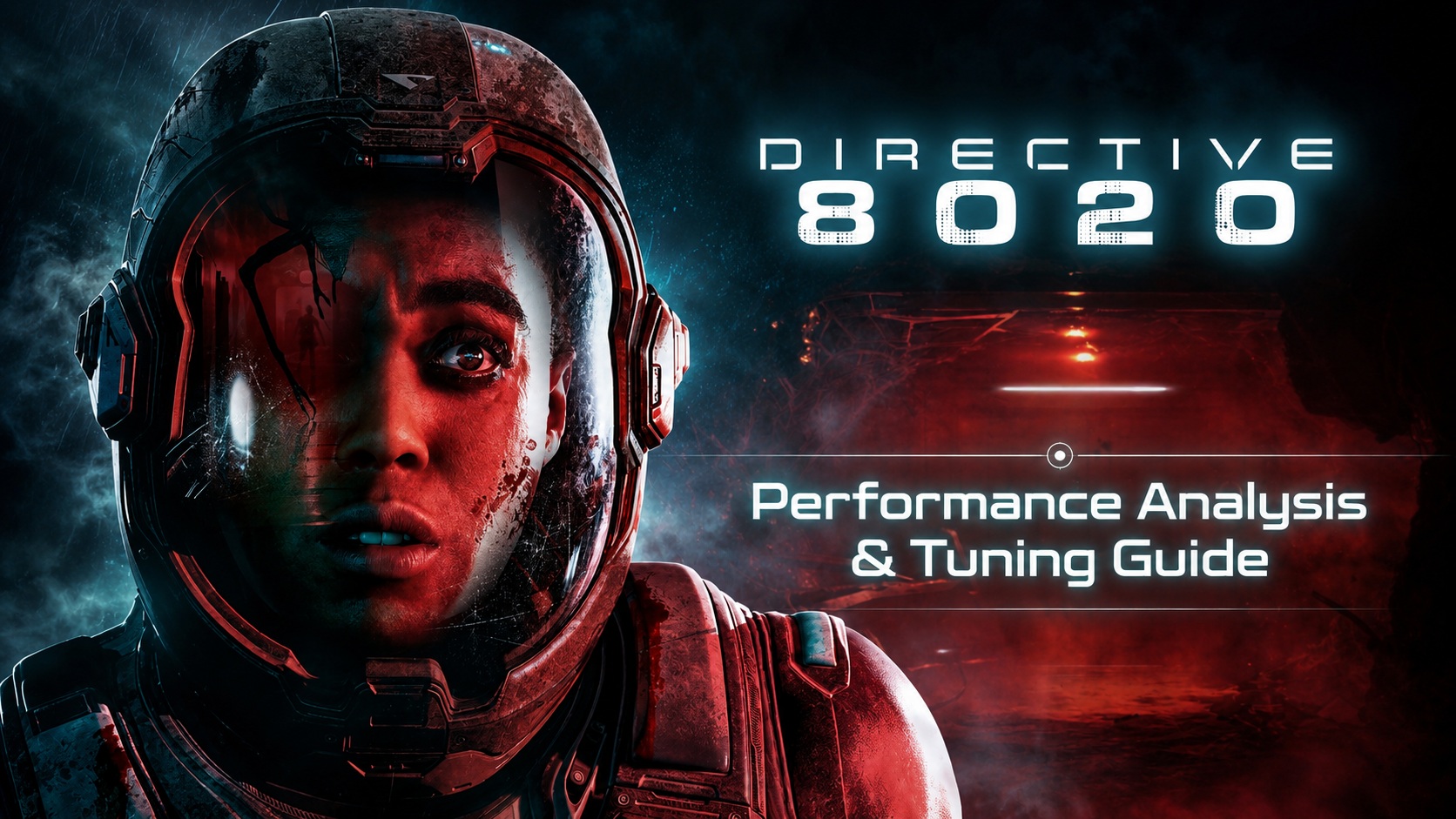
PC gaming has evolved, and with titles like Directive 8020 running on Epic Games’ Unreal Engine 5, finding the ideal balance between visual quality and performance is crucial. Unfortunately, even at maxed-out graphics settings, this game can be quite demanding on your GPU. However, there’s a way to tweak the settings to enhance performance without compromising visuals.
Gameplay And Technical Overview Of Directive 8020
Directive 8020, released on May 12, 2026, by Supermassive Games, plunges players into a cinematic sci-fi survival horror experience. Set aboard the colony ship Cassiopeia en route to Tau Ceti f, players face not only the perils of space travel but also a shape-shifting alien threat. The game’s emphasis on choice-driven narrative gameplay and real-time survival elements sets it apart from its predecessors in The Dark Pictures Anthology franchise.
Utilizing Unreal Engine 5’s cutting-edge features like Nanite, Lumen ray tracing, and Virtual Shadow Maps, Directive 8020 delivers stunning visuals that push modern hardware to its limits.
Optimizing Performance: Graphics Settings Breakdown
Before diving into the optimization process, it’s essential to understand how each graphics setting impacts performance and visual quality. Through detailed video comparisons, we’ve identified the settings that have the most significant impact on performance without compromising the game’s immersive atmosphere.
Based on our testing, even with ray tracing disabled, Directive 8020 remains GPU-intensive. The game’s minimum system requirements recommend an RTX 2060-class GPU, while the recommended setup suggests an RTX 3070 Ti or equivalent, highlighting its demanding nature.
Finding The Sweet Spot: Optimized Graphics Settings
To strike the perfect balance between performance and visual fidelity in Directive 8020, we’ve curated a set of optimized graphics settings that enhance gameplay without overwhelming your system. By fine-tuning certain parameters, you can enjoy a smoother gaming experience without sacrificing the game’s stunning visuals.
| Tier | CPU | GPU | RAM | Storage | Performance Targets / Notes |
| Minimum | Intel Core i5-8500 / AMD Ryzen 5 3500 | NVIDIA GeForce RTX 2060 / AMD Radeon RX 5700 | 16 GB | 40 GB available space | SSD recommended |
| Recommended | Intel Core i5-12400F / AMD Ryzen 5 5600X | NVIDIA GeForce RTX 3070 Ti / AMD Radeon RX 6800 | 16 GB | 40 GB available space | — |
Moreover, Directive 8020’s pre-gameplay PSO/shader compilation process effectively minimizes stuttering issues, ensuring a seamless gaming experience from the start. Additionally, traversal stutter, a common concern in UE5 games, is notably reduced in Directive 8020, enhancing overall gameplay fluidity.
In Conclusion
Directive 8020 challenges players to navigate a treacherous sci-fi world where every decision shapes the outcome. By optimizing graphics settings and understanding the game’s technical nuances, you can fully immerse yourself in this cinematic horror experience without compromising performance. Strike the perfect balance, and let the gripping narrative of Directive 8020 unfold before your eyes.
Intense Gaming Experience with Directive 8020
Immerse yourself in the captivating world of Directive 8020, a linear cinematic horror game that offers a thrilling gameplay experience. While no game is without flaws, Directive 8020 manages to deliver an exceptional performance, free from significant technical issues like shader compilation and traversal stutters.
Superior CPU Performance
Directive 8020 shines in terms of CPU performance, thanks to its linear cinematic design that doesn’t burden modern CPUs with complex open-world AI or physics-heavy destruction elements. With Unreal Engine 5 being GPU-driven, the game’s rendering workload is typically GPU-limited. This means that any 4+ GHz, 6+ core CPU released in recent years should effortlessly handle the game’s demands, making it a seamless experience for players. As a result, our focus will be on GPU performance and individual graphics settings, as the CPU’s performance is commendable.
Visual Appeal and Character Rendering
Directive 8020 presents a visually captivating experience, with character models standing out as particularly impressive. The game’s emphasis on faces, performances, and character interactions shines through, creating a cinematic narrative that draws players in. However, while character models excel, the environments may lack the same visual richness, especially considering the game’s heavy demands even without ray tracing or path tracing enabled.

While Directive 8020 supports HDR, its implementation may not be as polished as expected, offering functional but not standout HDR presentation. The upscaling and frame generation options in the game provide excellent performance, with various technologies like TSR, DLSS Super Resolution, FSR upscaling, and XeSS Super Resolution enhancing the visual experience.
However, XeSS Super Resolution may have issues, as observed in testing, where it resulted in a black screen on certain systems. Path tracing and ray tracing are available but may impact performance significantly, with path tracing particularly suffering from noise and artifacts, making it less desirable for players seeking optimal performance.
A Deep Dive Into Directive 8020’s Graphics Settings
Explore the intricacies of Directive 8020’s graphics settings to find the perfect balance between visual fidelity and performance. Our comparisons on a high-end system reveal the impact of various settings on the overall gaming experience, providing insights into optimizing the game for your setup.
Testing was conducted under GPU-limited conditions at 2560×1440 resolution, highlighting the game’s performance capabilities and visual enhancements. With the right settings, Directive 8020 can deliver a truly immersive and engaging gaming experience that captivates players from start to finish.
Unveiling the Visual Splendor of Directive 8020: A Graphics Settings Deep Dive
When it comes to immersive gaming experiences, visuals play a pivotal role in captivating players and enhancing the overall atmosphere of the game. In the realm of graphics settings, options like motion blur, chromatic aberration, and film grain can make or break the visual fidelity of a game. In the case of Directive 8020, these settings were intentionally disabled to ensure an uninterrupted visual experience.
For testing purposes, the High preset served as the benchmark with both ray tracing and path tracing disabled. This allowed for a comprehensive evaluation of each individual graphics setting without any external influences.
The Intriguing Graphics Menu of Directive 8020


The Visual Feast of Directive 8020
Directive 8020 showcases a standard Unreal Engine 5 graphics menu with added features that elevate the gaming experience. From render/output resolution to hardware details and performance metrics, the game offers a comprehensive settings preview that enhances user control and customization.
Of particular note is the detailed explanations provided for each graphics setting, a rarity in the gaming industry. This level of transparency and user guidance is commendable and sets Directive 8020 apart from its peers.

Efficient VRAM Usage and User-Friendly Options
Directive 8020 demonstrates efficient VRAM usage, especially without ray tracing or path tracing enabled. With 8-10 GB of VRAM, players can maximize the game’s visuals at 1440p with the High preset, a refreshing departure from VRAM-heavy titles in the market.
Furthermore, the ability to individually disable chromatic aberration and film grain showcases the developers’ attention to user preferences. This level of customization is a welcome change from the industry norm and enhances the player experience.
With a solid foundation established, let’s explore the nuances of each graphics setting offered by Directive 8020.
Note: Our comparison videos utilize a CapFrameX/RivaTuner Statistics Server-based overlay to provide essential performance data on GPU usage, real-time framerate, and dedicated GPU memory usage for comprehensive analysis.
Upscaling / Anti-Aliasing Method: Choosing the Right Fit
Directive 8020 offers a range of upscaling and anti-aliasing methods, including TSR, DLSS Super Resolution, FSR upscaling, and XeSS Super Resolution. The choice of method depends on your GPU vendor, with tailored recommendations for optimal performance and image quality.
For NVIDIA GeForce RTX users, DLSS Super Resolution is the preferred option due to its superior image quality and stability. AMD RDNA 4 users should opt for FSR 4/4.1 upscaling, while other AMD and non-NVIDIA RTX/Intel Arc users can utilize the game’s built-in FSR 3.1 upscaling implementation. Intel Arc users may experiment with XeSS Super Resolution, bearing in mind potential compatibility issues.
Temporal upscaling comparisons highlight the Quality preset for tested upscalers to maintain fidelity without compromising performance.
Antialiasing Quality: Balancing Performance and Image Quality
The Antialiasing Quality setting in Directive 8020 governs TSR quality, making it pivotal for users leveraging TSR for anti-aliasing. Lowering this setting to Low can provide a noticeable performance boost without significant image quality sacrifices, especially beneficial for GPU-intensive scenarios.
Recommendation: Low
Shadow Quality: Setting the Tone for Dynamic Shadows
Shadow Quality dictates the quality of dynamic shadows and volumetric fog shadows in Directive 8020, shaping the game’s visual ambiance. Adjusting this setting can enhance performance and visual fidelity, offering users a fine balance between realism and efficiency.
Conclusion: Crafting Your Visual Odyssey with Directive 8020
Directive 8020 sets a high standard in graphics settings customization, offering users a wealth of options to tailor their gaming experience. From efficient VRAM usage to user-friendly features like individual effect toggles, the game prioritizes player control and immersion.
By delving into the intricacies of each graphics setting and making informed choices based on performance and image quality, players can unlock the full potential of Directive 8020’s visual splendor. With a blend of innovation and user-centric design, Directive 8020 stands as a testament to the evolving landscape of PC gaming graphics.
Unreal Engine 5 games are known for their stunning visuals and immersive gameplay experiences. One key aspect that greatly contributes to the overall presentation of these games is the lighting and visual effects settings. In this guide, we will take a deep dive into the various graphics settings in Directive 8020 and provide recommendations for optimizing your gaming experience.
### Shadow Quality
Shadows play a crucial role in creating a dark sci-fi horror atmosphere in Directive 8020. While higher shadow quality levels can be expensive, they significantly enhance the game’s presentation. In our testing, opting for the High setting strikes the perfect balance between performance and visual fidelity, ensuring that shadow definition and fog interaction contribute effectively to the game’s atmosphere.
### Global Illumination Quality
Global Illumination Quality impacts the quality of Lumen’s diffuse indirect lighting solution in the game. This setting affects how light bounces around the environment and indirectly illuminates scenes. Opting for the Medium setting provides a good visuals-to-performance ratio, retaining the essence of higher levels while freeing up GPU performance.
### Reflection Quality
Reflection Quality controls the quality of reflections in Directive 8020. Interestingly, the Low setting, which replaces Lumen reflections with screen-space reflections, offers a visually appealing experience in many cases. Given the game’s visual profile and the noisy nature of Lumen ray-traced reflections, Low is a sensible recommendation for an immersive gaming experience.
### Post-Processing Quality
Post-Processing Quality influences effects such as bloom, depth of field, and motion blur in the game. While this setting is subjective, opting for the Low setting strikes a balance between performance and visual quality. Players can disable specific effects like motion blur and film grain for a cleaner image.
### Effects Quality
Effects Quality controls the fidelity of effects like subsurface scattering and particles. Choosing the High setting preserves the intended look of the game’s effects without compromising visual elements. Avoid lowering this setting too much to maintain the immersive visual experience in Directive 8020.
### Texture Quality
Texture Quality impacts texture streaming pool size and filtering quality in the game. Opting for the High setting ensures a high-quality texture experience without compromising VRAM usage. With Directive 8020 being VRAM-efficient, maintaining a high texture quality setting is recommended for an optimal gaming experience.
### Ray Tracing, Path Tracing, and DLSS Ray Reconstruction
Ray Tracing in Directive 8020 enhances lighting and reflection accuracy, but the substantial performance hit may not be worth enabling for most players. Path Tracing, the most demanding rendering option, introduces image instability and performance issues. DLSS Ray Reconstruction can enhance the fidelity of global illumination and reflections when used effectively.
In conclusion, optimizing the graphics settings in Directive 8020 can significantly enhance your gaming experience. By carefully selecting the right balance between performance and visual quality in each setting, you can immerse yourself in the dark sci-fi horror atmosphere of the game while enjoying smooth gameplay. Experiment with different settings to find the perfect configuration that suits your preferences and hardware capabilities.
Unleashing the Potential of Directive 8020: Optimized Graphics Settings and Performance Analysis
When it comes to pushing the boundaries of visual fidelity in gaming, Directive 8020 stands out as a benchmark for cutting-edge graphics. However, harnessing its full potential comes with a trade-off in performance. This makes navigating the settings a delicate balance between stunning visuals and smooth gameplay.
Exploring DLSS Ray Reconstruction for GeForce RTX 40/50 Series GPUs
If you’re equipped with a high-end GeForce RTX 40/50 Series GPU and are delving into the world of ray tracing, the DLSS Ray Reconstruction feature might catch your eye. While it offers an improvement in image quality, it also comes at a cost to performance. Our recommendation is to test it out and see if the visual enhancements justify the hit in FPS. However, for those prioritizing performance, keeping it disabled is the way to go.
Optimized Graphics Settings For Directive 8020 On PC
Now, let’s dive into the optimized graphics settings that strike a perfect balance between visual fidelity and performance for Directive 8020:
| Graphics Setting | Optimized Value |
| Upscaling / Anti-Aliasing Method | Depends on GPU vendor |
| Antialiasing Quality | Low |
| Shadow Quality | High |
| Global Illumination Quality | Medium |
| Reflection Quality | Low |
| Post-Processing Quality | Low |
| Effects Quality | High |
| Texture Quality | High |
| Ray Tracing | Off |
| DLSS Ray Reconstruction | Off, unless specifically using hardware Lumen RT |
| Path Tracing | Off |
For optimal performance, NVIDIA GeForce RTX users should consider DLSS Super Resolution, while AMD RDNA 4 users can explore FSR upscaling through AMD Adrenalin Software. Intel Arc users can experiment with XeSS Super Resolution, and all other modern GPU users can utilize FSR upscaling.
Performance Analysis: High Preset vs. Optimized Graphics Settings
Comparing the High preset with our optimized settings, we observed a significant improvement in performance metrics:
| Graphics Preset | Average FPS | 1% Low Average FPS | 0.1% Low Average FPS |
| High Preset | 143 | 124 | 119 |
| Optimized Graphics Settings | 176 | 143 | 138 |
Our optimized settings led to a 23% increase in average FPS, with 1% lows improving by 15% and 0.1% lows by 16%. Despite the notable uplift in performance, Directive 8020 remains demanding, especially considering the absence of ray tracing and path tracing in our comparison.
Final Verdict
Directive 8020 presents a mixed bag of technical marvels and performance challenges. While its traversal mechanics and CPU performance shine, the game’s GPU demands may deter some players. The visuals, while commendable in certain aspects, fall short of justifying the hardware requirements, particularly with ray tracing and path tracing disabled.
Ray tracing offers a glimpse of enhanced visuals, but at a steep cost, making it a luxury for select gamers. Path tracing, on the other hand, disappoints with its performance impact and visual output. Despite these shortcomings, optimized graphics settings can provide a significant boost in performance without compromising visual quality.
In essence, Directive 8020 is a polished yet demanding title that showcases the potential of Unreal Engine 5. While it overcomes some technical hurdles, its GPU demands and flawed path tracing implementation prevent it from achieving true greatness on the PC platform.
For a comprehensive review of Directive 8020, be sure to check out our in-depth analysis of the game.

About the author: Sebastian Castellanos is a data scientist with a passion for PC gaming hardware and software. His expertise shines through in technical articles and guides on PC hardware, games, and mods.
Follow Wccftech on Google for more news coverage and updates.
The Rise of Mobile Gaming: A Game Changer in the Gaming Industry
Introduction
In recent years, mobile gaming has taken the gaming industry by storm, revolutionizing the way we play and interact with games. With the advancement in technology and the widespread availability of smartphones, mobile gaming has become a global phenomenon, attracting millions of players from all walks of life. In this article, we will delve into the rise of mobile gaming and its impact on the gaming industry.
The Evolution of Mobile Gaming
Mobile gaming has come a long way since the days of simple, pixelated games like Snake and Tetris. Today, mobile games are more sophisticated and immersive than ever, with stunning graphics, realistic gameplay, and innovative features that rival those of traditional console games. From casual puzzle games to intense multiplayer battles, mobile gaming offers a diverse range of experiences for players of all ages and skill levels.
The Accessibility Factor
One of the biggest advantages of mobile gaming is its accessibility. Unlike traditional gaming platforms that require dedicated hardware and expensive consoles, mobile games can be played on any smartphone or tablet, making them easily accessible to a wide audience. This accessibility has democratized gaming, allowing people from all walks of life to enjoy high-quality games anytime, anywhere.
The Social Aspect
Mobile gaming has also revolutionized the way we connect and interact with others. With the rise of social gaming networks and multiplayer features, players can now compete with friends and strangers from around the world, forming online communities and forging friendships through shared gaming experiences. This social aspect of mobile gaming has made it a popular choice for gamers looking to connect with others and share their passion for gaming.
The Future of Mobile Gaming
As technology continues to advance and smartphones become more powerful, the future of mobile gaming looks brighter than ever. With the introduction of augmented reality (AR) and virtual reality (VR) technologies, mobile games are poised to become even more immersive and interactive, blurring the lines between the virtual and real world. Additionally, the growing popularity of mobile esports and competitive gaming is further driving the evolution of mobile gaming, turning it into a legitimate and respected form of entertainment.
Conclusion
In conclusion, mobile gaming has emerged as a game changer in the gaming industry, offering a new and exciting way to play games on the go. With its accessibility, social aspect, and technological advancements, mobile gaming has reshaped the gaming landscape and opened up new possibilities for players and developers alike. As we look towards the future, the potential for mobile gaming is limitless, promising even more innovation and growth in the years to come.